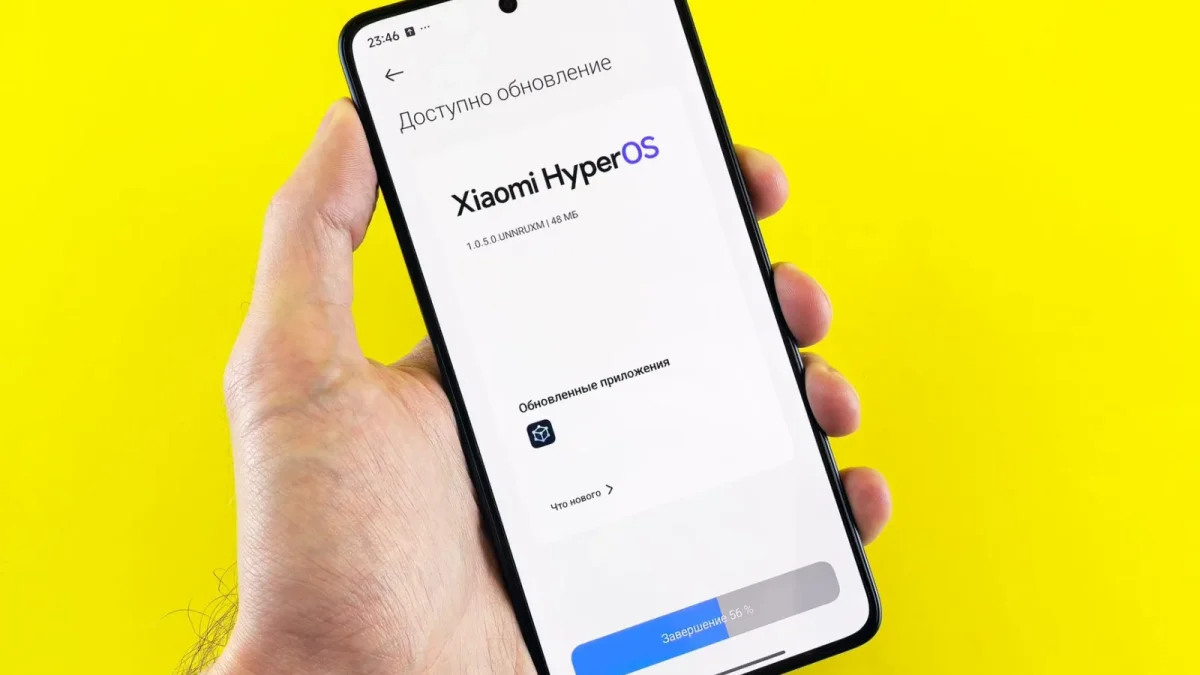
Key takeaways
- Firmware updates are safe when the robot is charged or plugged in, out of the water, and on a stable 2.4GHz Wi-Fi connection, and risky the moment any of those three slip.
- Updates change software behavior like navigation tuning, bug fixes, and pairing compatibility; they never improve suction, brush wear, or track grip.
- Corded robots update through the deck-side power supply and stay connected the whole time, which is why they rarely strand mid-flash.
- Most brands offer no rollback to a previous firmware version, so avoiding an interrupted update matters more than undoing one.
- A changelog line with a specific fix, like improved wall traction or a pairing patch, is worth ten seconds of reading before you tap install.
The first cordless robot I ever tested took a firmware update mid-cycle, because nobody had told me not to and the app just showed a friendly banner that said a new version was ready. I tapped yes. The robot stalled on the third step of the shallow end, lights blinking a pattern the manual did not recognize, and it took a factory reset and a testy call to support to bring it back.
That was nine seasons ago, and the lesson stuck: firmware updates are safe, routine, and worth taking, as long as you respect three simple conditions. Skip any one of them and you are gambling with a machine that just spent two hours giving your pool a scrub.
Here is what an update actually changes, the safe way to install one, and how to read a changelog like it might matter, because sometimes it does.
What a firmware update actually changes
Firmware is the software running inside the robot itself, separate from the app on your phone. An update rewrites that internal code, and most releases fall into a short list of categories.
- Bug fixes: a stuck error light, a schedule that silently stopped firing, a filter alert that never cleared.
- Navigation tuning: adjusted turn timing, better wall detection, occasionally a fix for a coverage pattern that kept missing the same corner.
- Connectivity patches: fixes for flaky app pairing, or compatibility with a new phone operating system.
- New modes or settings: rare, but premium models occasionally add a cleaning mode or a scheduling option after launch.
What updates almost never touch is hardware performance. A firmware update will not increase suction, strengthen a worn brush, or fix a slipping track. If a changelog promises stronger cleaning power from software alone, read it twice before you believe it.
The three-part rule that prevents a stranded robot
Every update failure I have ever traced back to a cause fits one of three mistakes. Avoid all three and updates are close to bulletproof.
Safety first
Never start an update while the robot is mid-cycle or submerged. Never start one below roughly a 50 percent charge, or with a corded model unplugged. Never start one on Wi-Fi you know is unstable. A flash interrupted partway through can corrupt the robot’s internal software, and that usually means a service ticket, not a quick fix.
Charge or plug in first. Cordless robots need enough lithium-ion battery pack capacity to finish the entire flash without cutting out partway, and corded models should stay connected to their power supply for the same reason.
Out of the water, always. The robot should be resting dry on the deck or pool step, not floating mid-cycle, because updates route through the app’s connection and that connection needs the robot at the surface where radio signals actually reach it.
Stable 2.4GHz Wi-Fi, not a phone hotspot in a moving car and not a router mid-reboot. A dropped connection during download just means retrying; a dropped connection during the actual flash is the scenario that strands a robot.
The five-minute update, step by step
- Finish or skip the current cycle. Never trigger an update while the app shows the robot running.
- Bring the robot out of the pool and set it on the deck, dry side up.
- Confirm charge level on cordless models, or a live connection to the power supply on corded ones.
- Open the app, find the update notification, and read the changelog before tapping install.
- Start the update and leave the app open until it confirms completion, usually a few minutes.
- Run one short test cycle before trusting the robot to an unattended schedule again.
Corded and cordless robots update differently
On a corded robot, the firmware and the Wi-Fi radio often live together in the power supply box on the deck, not in the submerged robot itself. Updates flash to that control box, which stays dry and connected the entire time, so corded models are some of the least fussy machines to update.
Cordless robots update the onboard computer directly, over Bluetooth or Wi-Fi while the robot sits dry on the deck. That is the whole reason the out-of-water and charge-first rules exist for cordless models specifically: the update has to travel the same short-range link that struggles the moment the housing gets wet.
A Beatbot AquaSense 2 or a similar cordless flagship will typically show a progress bar during the flash and refuse to start a cleaning cycle until it finishes, a safeguard worth appreciating rather than fighting.

Reading a changelog like it might actually matter
Most owners tap install without reading a word, and most of the time nothing is lost by that. But a changelog is a short list of promises, and a few lines are worth ten seconds of attention.
A line reading something like improved wall traction on fiberglass surfaces tells you the update specifically targets a complaint you may already have. One reading fixed occasional Wi-Fi pairing drop explains why the app has felt flaky lately. Minor bug fixes and stability improvements, with nothing else listed, is a maker’s way of saying nothing user-facing changed, safe to install and forget.
Skip past marketing language entirely. A changelog that talks about experience or performance in vague terms without naming a specific fix is telling you less than it sounds like.
How often updates actually arrive
Cadence varies by brand and by how new the model is. A robot in its first year on the market can see a handful of updates as the manufacturer irons out early bugs, then settle into two or three a year once the software matures.
Budget models with no app connectivity at all skip this entirely; their behavior is fixed at the factory. That is a real tradeoff worth knowing before you buy: less to maintain, but also no path to a fix if a coverage quirk shows up after the warranty window closes.
Rollback reality: why undo mostly does not exist
Ask support for a way to roll back to the previous firmware version and most brands will tell you, politely, that there is not one. Consumer pool robots are not built with the kind of dual-partition rollback system some phones use.
In practice this is a smaller problem than it sounds. Genuinely broken updates are rare, and manufacturers pull or patch them fast once complaints stack up, since a fleet of bricked robots is expensive for them too. The real protection is not rollback. It is following the three-part rule so an interrupted flash never happens in the first place, and waiting a day or two after a brand-new release if you would rather let other owners find the bugs first.
Watch out
If an update genuinely fails, a boot loop or a robot stuck on an error light is a different problem with its own recovery steps. That is a service conversation, not something to troubleshoot repeatedly by cycling power on your own.
What goes wrong when owners skip the rules
A reader once wrote in about a Hayward AquaVac 650 that died overnight. The story, once we walked through it: she started an update from her phone on her way out the door, the robot was still finishing its cycle in the deep end, and the app connection dropped the moment it submerged. The flash never completed.
Support walked her through a manual recovery over two calls, and the robot came back fine, but it cost her a week without a working cleaner and a fair amount of frustration that a five-minute maintenance task should never have caused.
The fix was not complicated. Wait for the cycle to end, pull the robot out, confirm the charge, then update. Every stranded-robot story I hear traces back to skipping one of those steps under time pressure.
Update it and forget it, safely
Firmware updates are routine maintenance, not a gamble, once you treat them with the same respect you would give charging a phone before a long flight: full battery or plugged in, out of the water, stable connection, and a glance at what actually changed.
Do that every time and an update becomes a five-minute task a few times a year rather than something you dread. Skip the rules under a deadline, and you are the one explaining to a service counter why a robot is sitting dead on the bottom step.
Frequently asked questions
Do I have to install every firmware update, or can I ignore the notifications?
Ignoring a notification for a few days is fine; the robot keeps cleaning on its current firmware with no loss of function. Skip updates for a full season, though, and you risk missing a real bug fix or a pairing compatibility patch your phone's next operating system update might need. Treat notifications like an oil change reminder: not urgent the day it appears, worth acting on within a couple of weeks.
Does an update erase my saved schedule or Wi-Fi settings?
No, on nearly every model. Firmware updates rewrite the robot's internal software, not its stored settings, so your cleaning schedule, Wi-Fi credentials, and named device survive the process untouched. The one exception worth watching for is a factory reset offered as a troubleshooting step after a failed update, which does wipe settings and does require rebuilding the schedule from scratch.
How long should a typical firmware update take?
Most updates finish in two to five minutes once the download completes, though the download itself can take longer on a slow connection. Budget ten minutes total and stay near the app until it confirms success. If a progress bar sits frozen for much longer than that, do not restart the robot repeatedly; treat it as a stalled update and check the manufacturer's support page first.
Can a corded robot update without a smartphone app?
Some can, through a button sequence on the power supply's control box that checks for and applies updates without a phone involved, though this varies by brand and is less common than app-based updates. Most corded models sold today still route updates through the same app used for scheduling. Check your model's manual for a control-box update option before assuming you need a smartphone.
Will an older robot eventually stop receiving updates?
Eventually, yes. Manufacturers typically support a model's software for several years after launch, then shift engineering attention to newer products. The robot's motors, brushes, and onboard default cycle keep working forever regardless, but new fixes and compatibility patches stop arriving. This is one more reason to favor established brands with a track record of long software support toward the premium end of the price range.

Krisha Gupta
Krisha Gupta is a home-technology writer who spends most of her weekends knee-deep in pools, testing the latest robotic cleaners so readers don't have to. Her reviews are hands-on and jargon-free, focused on what a robot actually does when you leave it running unsupervised for eight hours. When she's not comparing brush patterns or waterline scrubbing, she's writing plain-English maintenance guides for pool owners who'd rather swim than tinker.


